> ## Documentation Index
> Fetch the complete documentation index at: https://docs.docswrite.com/llms.txt
> Use this file to discover all available pages before exploring further.
# API
> How to connect and publish to Contentful
# Contentful API Integration
Docswrite allows you to publish Google Docs directly to your Contentful space using Contentful's APIs. This guide explains how to connect your Contentful account and use the API for seamless publishing.
## What Credentials Do You Need?
To connect Docswrite to your Contentful space, you'll need the following credentials:
* **Space ID:**\
This identifies your Contentful space. You can find it in Contentful under *Settings → General Settings*.
* **Content Delivery API Access Token:**\
This token allows Docswrite to read published content from your space. Generate it in *Settings → API keys* in Contentful.
* **Content Management API (CMA) Token:**\
This token allows Docswrite to create and update content in your space. Generate it in *Settings → CMA Tokens* in Contentful.
> 📝 *Docswrite provides tooltips and help links for each field if you’re unsure where to find them.*
***
## How to Connect Contentful to Docswrite
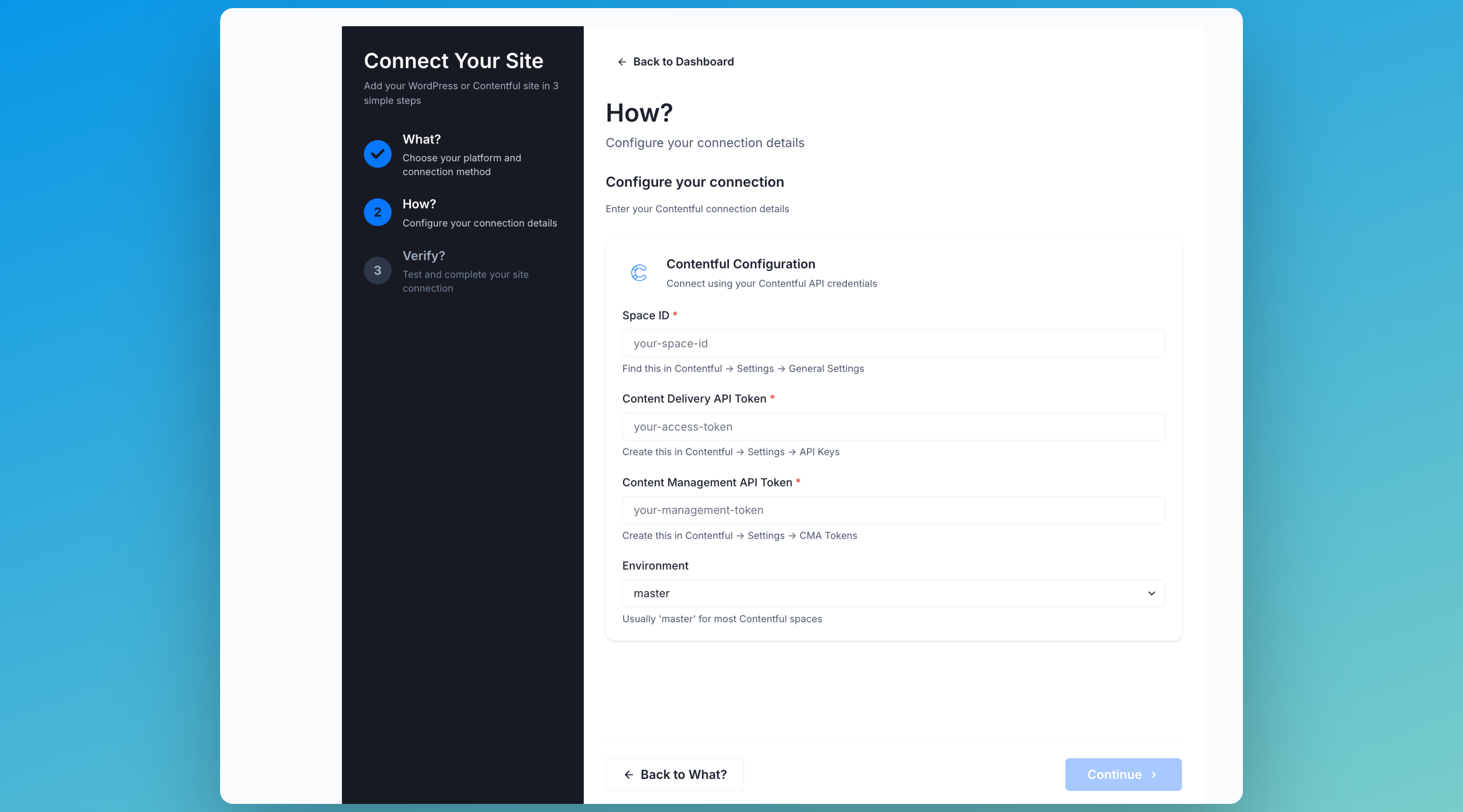 1. **Go to the [Docswrite Dashboard](https://docswrite.com/dashboard).**\
(Note: To connect multiple sites, you’ll need to be on the Business plan.)
2. **Add a new site and choose Contentful** as the platform.
3. **Enter the required Contentful credentials:**
* **Space ID:**\
Find this in Contentful under *Settings → General Settings*. Copy and paste it into Docswrite.
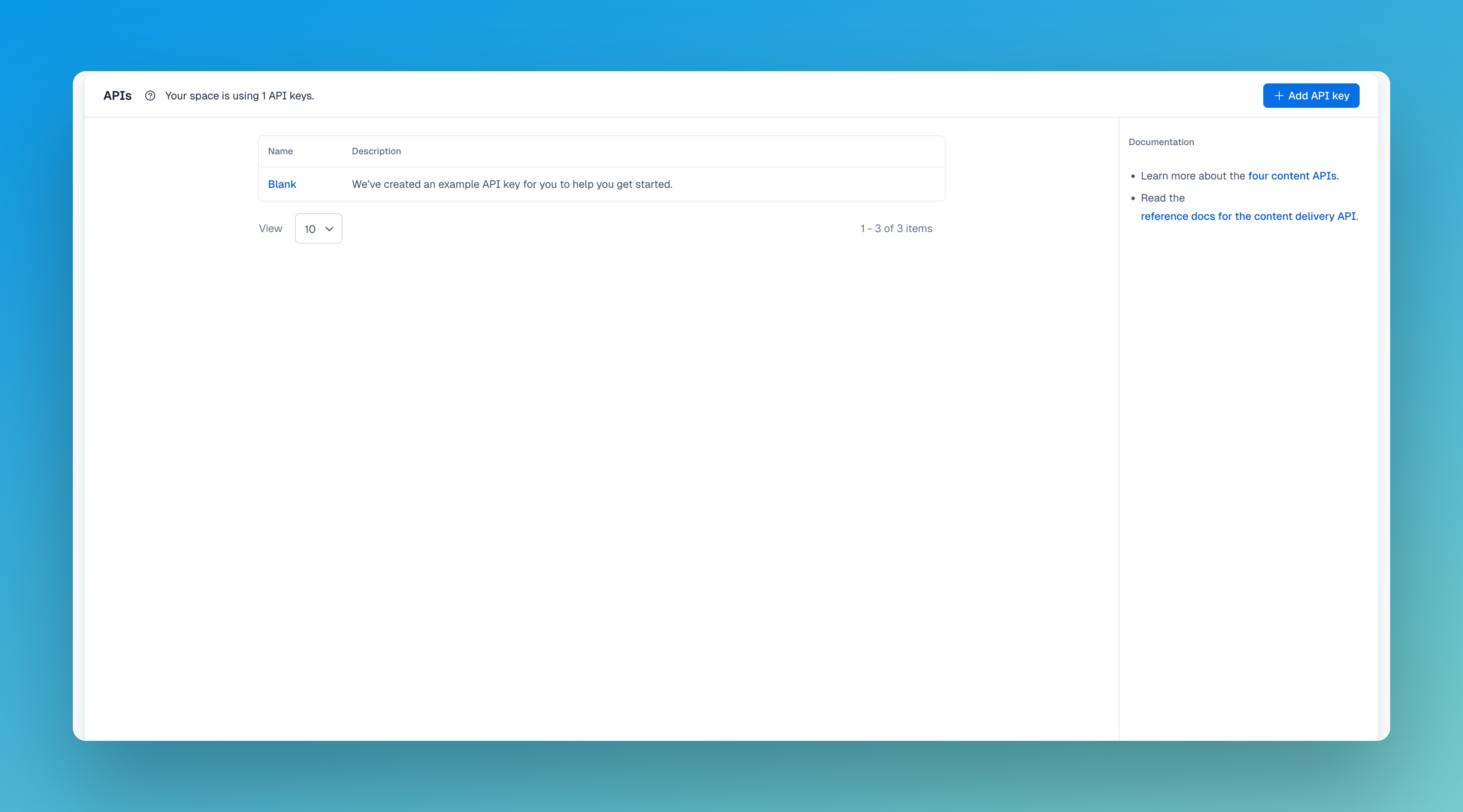
* **Content Delivery API Access Token:**\
Go to *Settings → API keys* in Contentful, generate a new API key, and copy the Content Delivery API token.
1. **Go to the [Docswrite Dashboard](https://docswrite.com/dashboard).**\
(Note: To connect multiple sites, you’ll need to be on the Business plan.)
2. **Add a new site and choose Contentful** as the platform.
3. **Enter the required Contentful credentials:**
* **Space ID:**\
Find this in Contentful under *Settings → General Settings*. Copy and paste it into Docswrite.
* **Content Delivery API Access Token:**\
Go to *Settings → API keys* in Contentful, generate a new API key, and copy the Content Delivery API token.
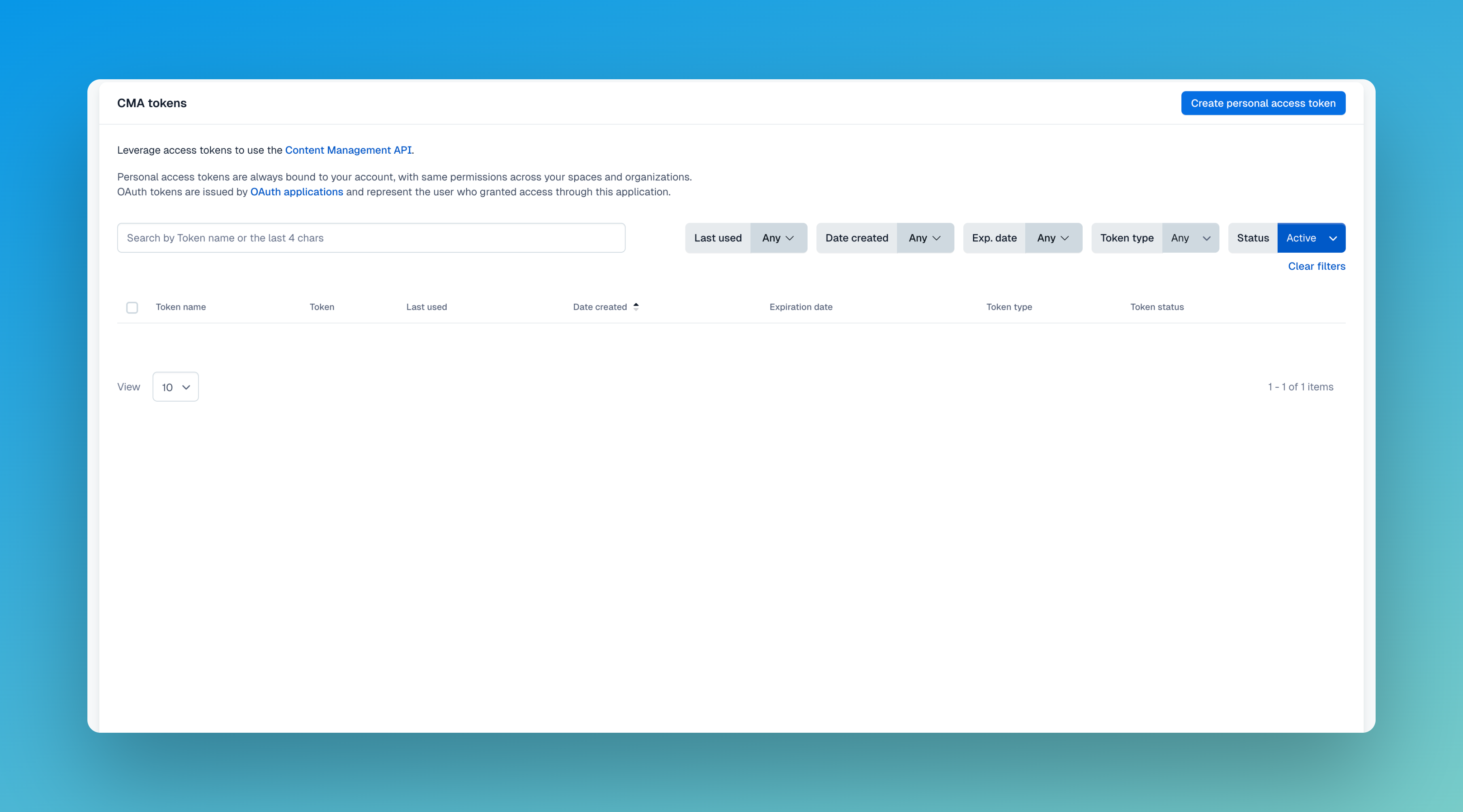
 * **Content Management API (CMA) Token:**\
In Contentful, go to *Settings → CMA Tokens*, then create a new Management Token (CMA token) and copy it.
* **Content Management API (CMA) Token:**\
In Contentful, go to *Settings → CMA Tokens*, then create a new Management Token (CMA token) and copy it.
 4. **Connect!**\
Once you’ve entered all the info, click to connect. If everything is correct, your Contentful site will be linked to Docswrite.
4. **Connect!**\
Once you’ve entered all the info, click to connect. If everything is correct, your Contentful site will be linked to Docswrite.